A Path-Traced Room in the Browser: How We Built Our Partner Pages
Every partner link now opens into a room rendered in Houdini, lit exactly like the render and still live in the browser. Here is how the light gets from Karma onto the page, and what it took to make it work on phones.
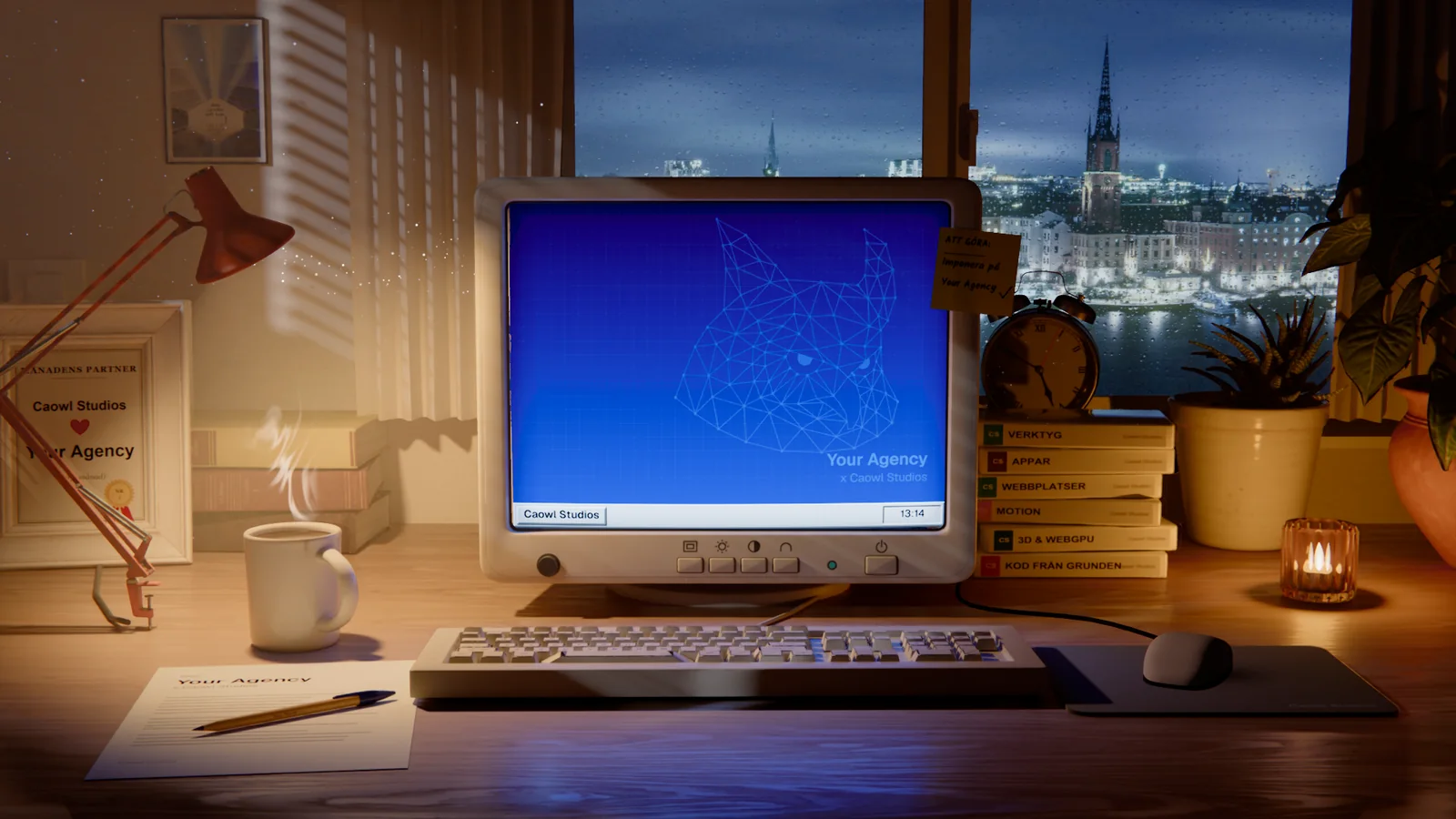
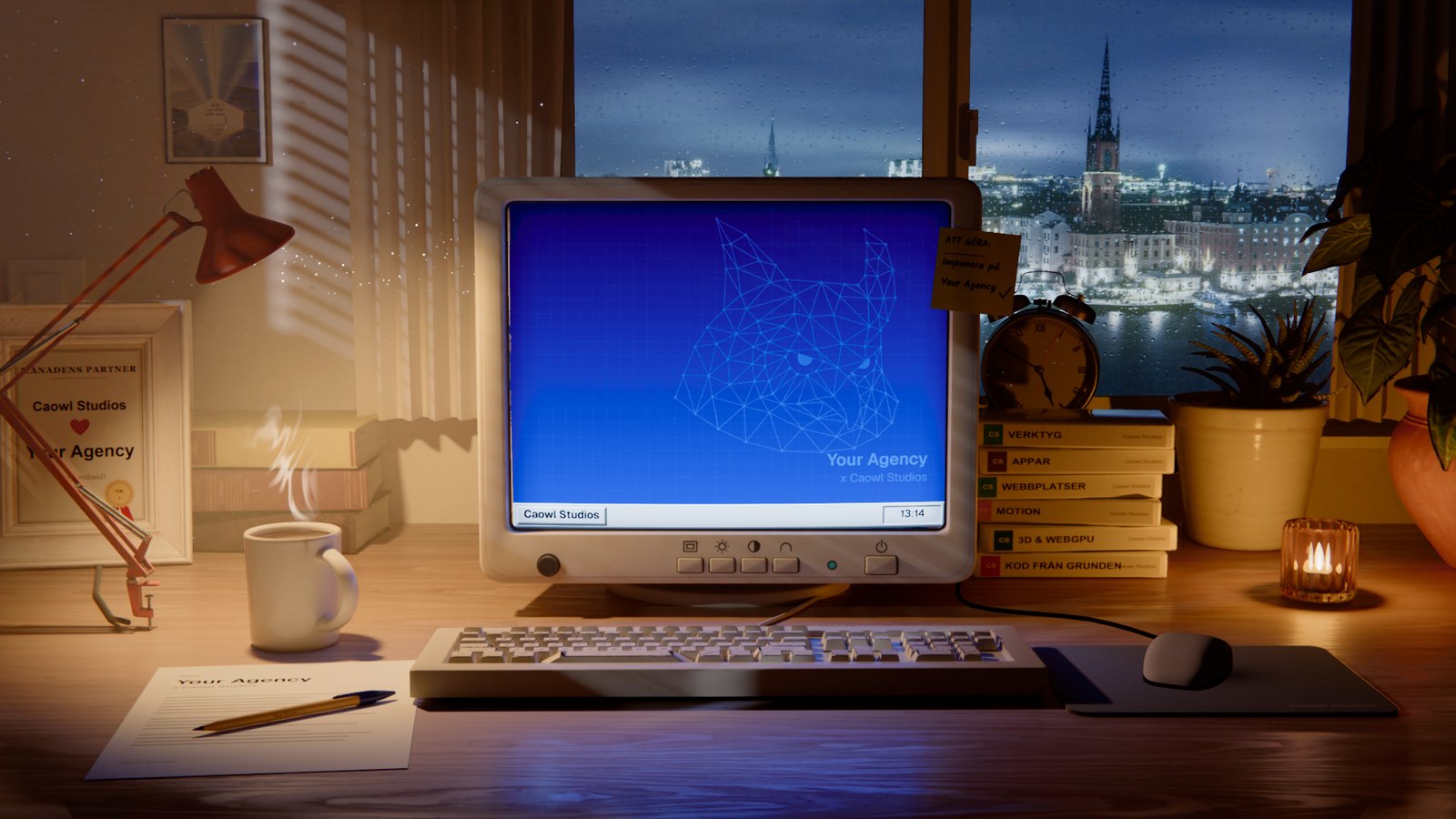
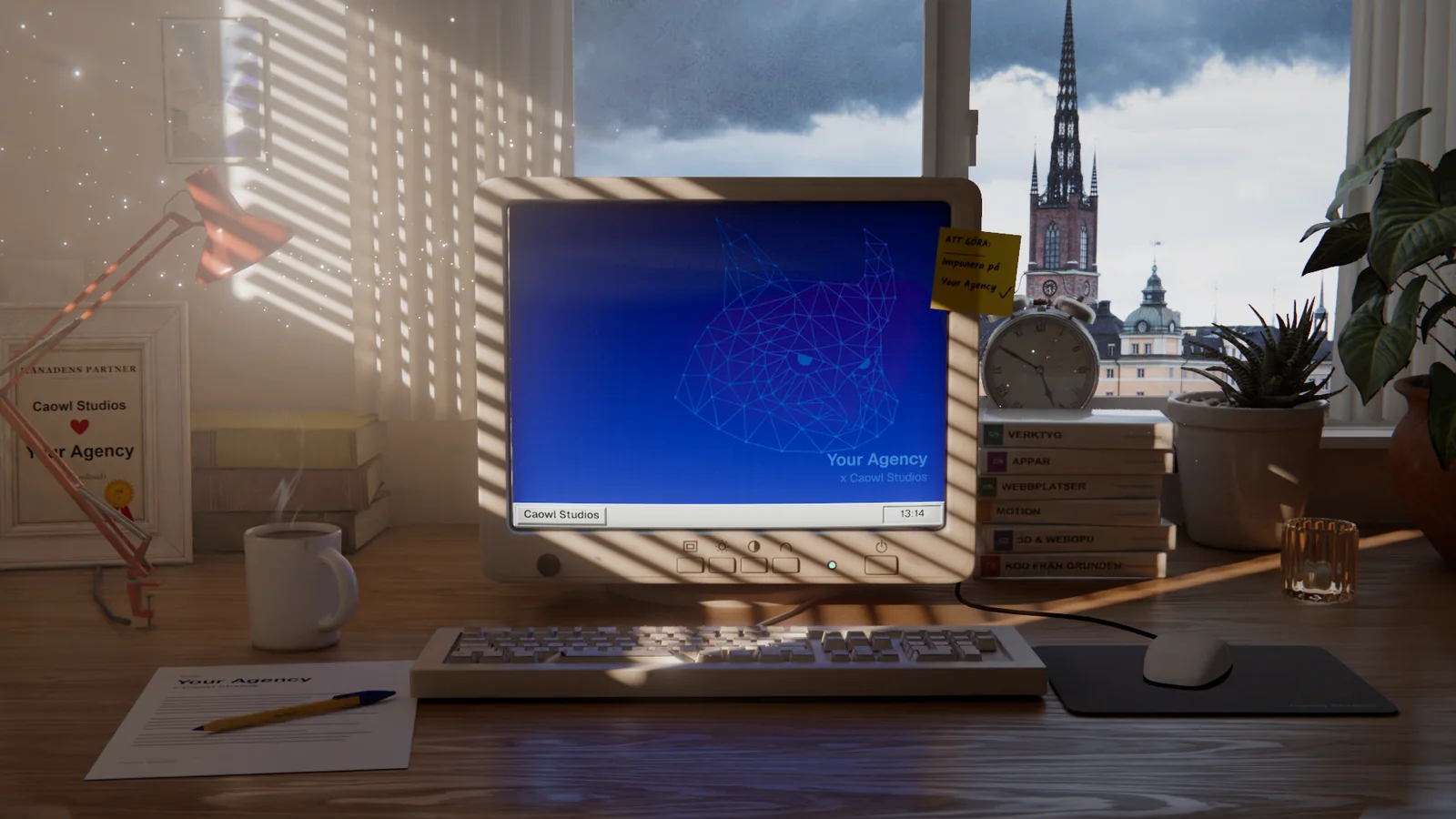
When we send an agency a link, it opens into a room: a desk by a window over Stockholm, a CRT monitor running our pitch, and the agency's name on the things lying around. The room is lit the way a film frame is lit, with real light bouncing around it, but it is not a video. You can move through it, the window has depth, the dust drifts, the candle flickers, and the screen works.
This is how we got a path-traced render to behave like a live 3D scene in the browser.
The room at a glance
- What: a desk room that every
/partners/<agency>link opens into, with that agency's name in it - Look: path-traced in Houdini 22 (Solaris, MaterialX, Karma XPU), night and day, approved as stills before any code was written
- On the page: three.js with WebGPU and our own shaders, WebGPU only
- Light: 8 renders for each mode from 8 cameras, one at 4K and seven at 1080p
- Data: about 4.7 MB of light per mode on a desktop, plus the room as a 2 MB mesh
- Live on top: the window and its rain, the candle, steam, dust, the mouse, the screen and the agency's name
- Phones: a tall render of their own and four projectors, about a sixth of the desktop's memory
Why we stopped lighting it in real time
The first version of the room was lit in real time, like a game. It looked like a game. Real-time lighting cannot give you the soft bounce under a lamp, light through a blind falling across a wall, or the warm glow a candle puts on the desk around it. A path tracer gives you all of that, but it takes seconds or minutes per frame, not milliseconds.
So we flipped the problem. We rendered the room in Houdini until it looked right, and then made the page show that render instead of computing its own light. The trick is called projection mapping. Film studios use it to turn a painted matte into a set the camera can move through.
The page knows where every surface in the room is, because the room is exported as a mesh. The renders are projected back onto that mesh from the cameras that made them, like slides from a projector. Because the light now sits on real geometry, moving the camera gives real parallax: the monitor slides against the window, the books against the wall. The light itself is the render's, pixel for pixel.
Stills first
We did not touch the page until the look was right. The room was built and lit in Houdini and judged on still frames, night and day, until it was approved. When the left side of the desk did not hold up, we swapped the props, rendered again and approved again.
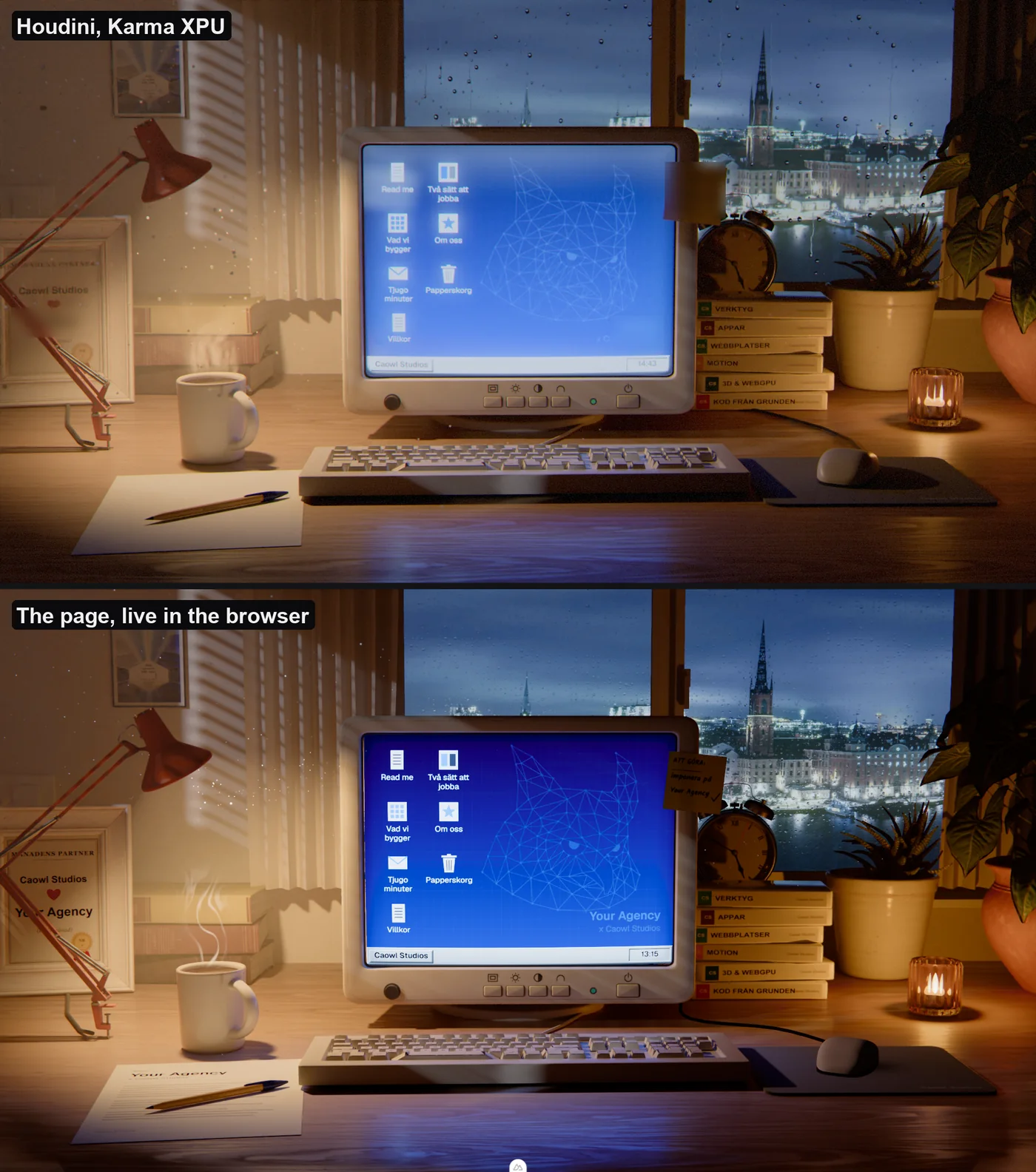
Every change on the page after that was checked against those frames. The goal was never "close enough". It was the same picture.
Eight projectors and a depth test
One render only covers what its camera can see. Move a little to the side and you look behind the monitor, where that camera never looked. So the room is rendered from eight cameras: the visitor's own view at 4K, and seven more at 1080p from either side and from further back.
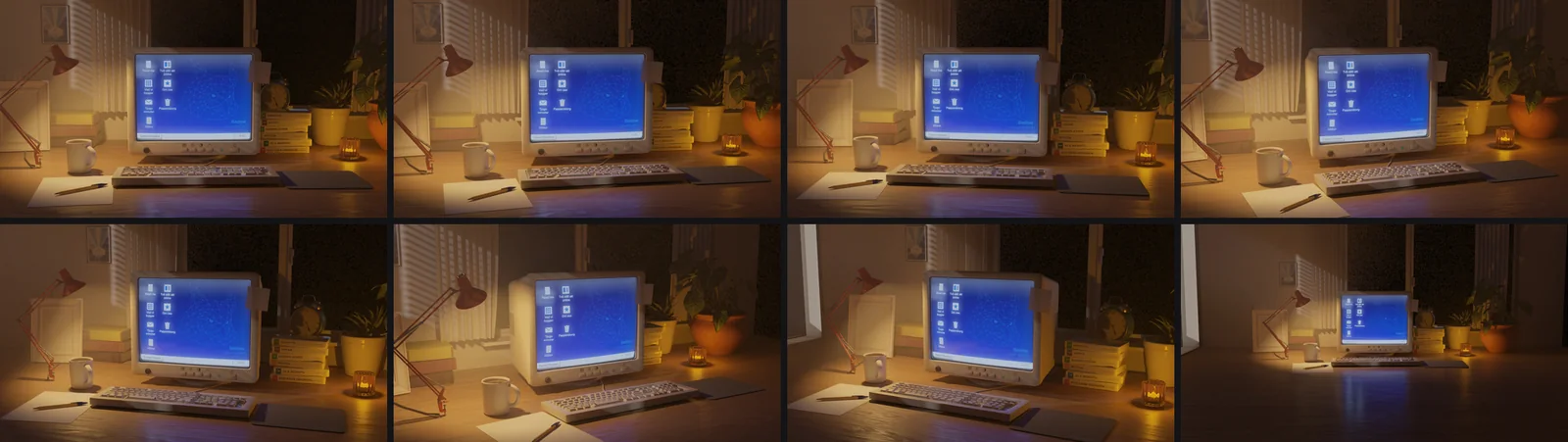
Blending eight images is where these systems usually fall apart: you get ghosts, smears and light that pops as you move. Our rule is strict. For every pixel, the page checks each projector's depth map: did this camera actually see this point, or was something in the way? The visitor's main view paints every point it saw, alone. The other seven only fill what it could not see, and among themselves they are weighted by how close each camera stands to the visitor's. Edges fade over about a pixel, so a filler takes over without a seam.
A few more details make it hold up:
- Light in a highlight-keeping curve. The renders are stored as 8-bit AVIF images in a curve that keeps bright highlights, with a little dither so smooth walls do not band. The page undoes the curve and gets the light back, for 250 to 450 KB per 1080p image.
- Layers it can drive. The screen's glow and the candle's light are rendered as separate layers. The page brightens and tints the screen's light to match what is on the screen, and flickers the candle's.
- Every read filtered. Each projector is read at the size it appears on screen, so outlines do not break into dots as the camera moves.
What stays live
Some things cannot be baked, because they move or because they belong to the visitor.
- The window. It is not projected. Each pixel of the glass traces its own view ray out to a photo of the city, so the view moves behind the glass the way a real one does. At night, rain sits on the glass and runs down it. Each drop is a tiny lens that shows the city upside down.
- The candle, the steam and the mouse. The flame is drawn live and its light flickers with it. The steam rises from the mug, and the mouse is the Houdini mouse, lit by the light baked onto the desk under it.
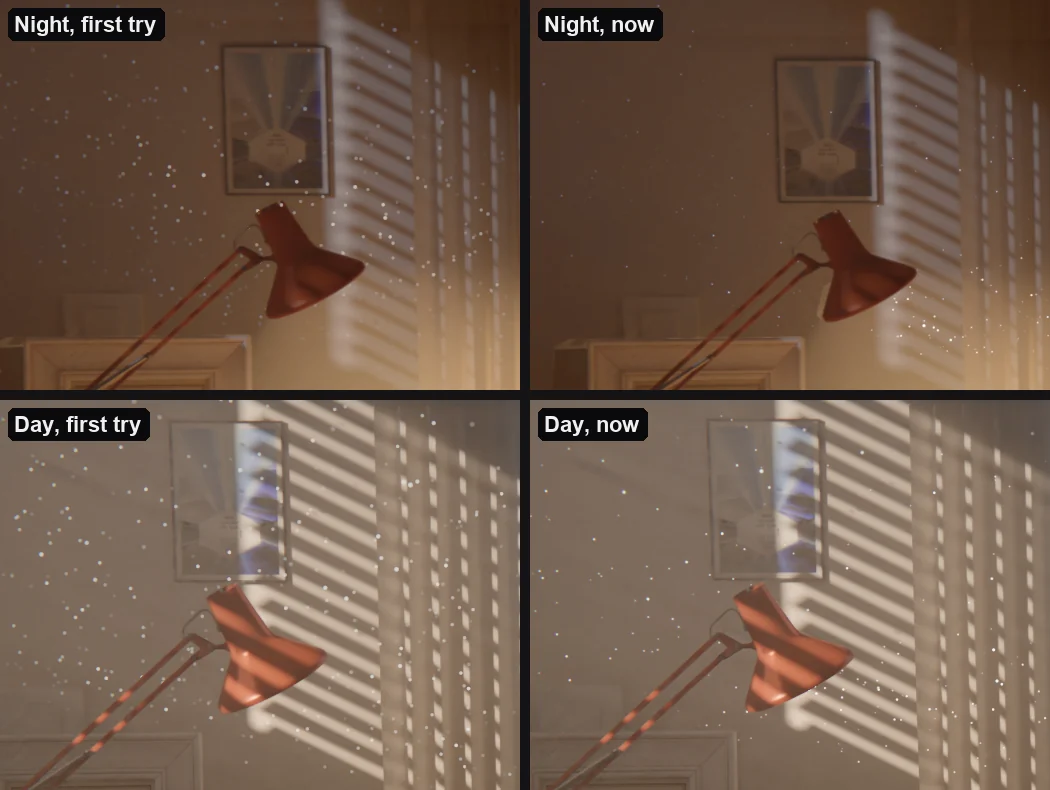
- The dust. The first live dust looked like a starfield, every speck equally bright. Real dust only shows where light passes through it. Now it sits in the beam from the side window and in the lamp's cone, most specks faint, a few glinting as they turn, and the ones out of focus become soft discs, as they do through a lens.
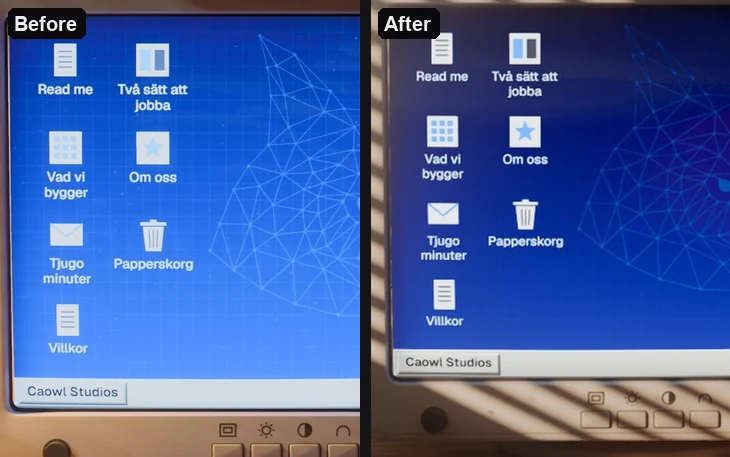
- The screen. It is a working desktop with a CRT shader: scanlines, a phosphor grid and curved glass. Turned up to the render's brightness, its effects washed the desktop out, so we pulled them back until the text read clearly.
- The agency's name. It is drawn from the link, onto the award on the wall, the sticky note, the paper and the screen. Nothing is prepared per agency, so any link works.
The grade
The renders reach the page before their grade, so the page does the finishing itself, exactly as our Houdini finish does it: the same tone curve (AgX), bloom from the brightest light, a red-orange film halation round it, a little colour split towards the corners of the lens, and a vignette. By day the sunlight blooms a little wider and whiter, so the sun reads as sun.
Phones
The first phone test was rough: slow to load, stuck on a dark frame, and the room smeared at the top and bottom. A phone is tall and narrow, so it sees far more above and below the monitor than the renders ever did, and it was trying to hold desktop-sized images in memory.
We gave phones their own camera. It stands in exactly the same spot as the desktop's main view, but it is tall, 1080 × 2160 with a 48° view from top to bottom, so the whole phone frame comes from one render. Three of the desktop's renders fill in around it at half size. That is about a sixth of the desktop's memory and about 1 MB of light per mode. Tilting the phone swings the view round the desk, left and right only, because up and down it would see what no render saw.
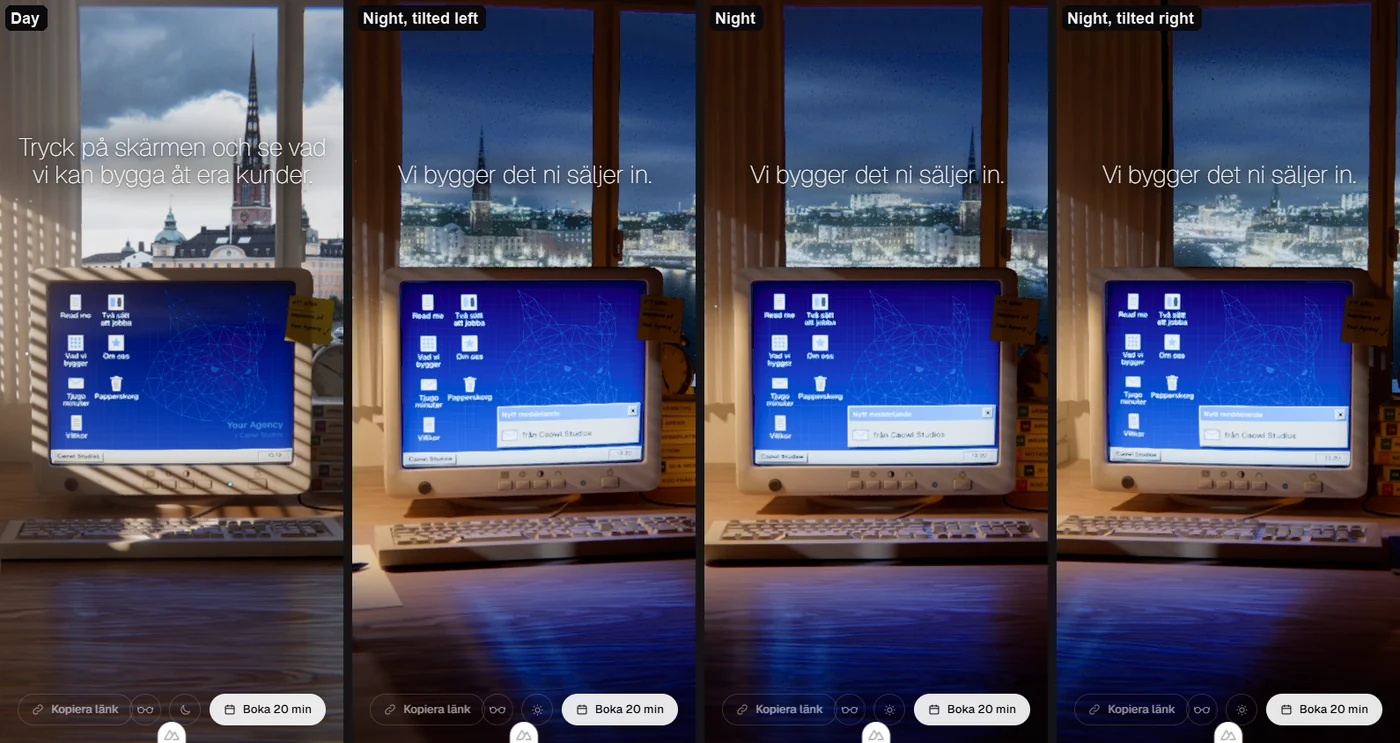
The window on a phone needed its own care too. The monitor hides the bottom of the window, which is exactly where the city sits in the photos, so on a phone the skyline is raised into the glass above it.
A bug the size of a screen
The day we planned to write this post, the room broke on a 1920 × 1080 screen and on nothing else. Desk edges smeared, holes appeared, and the monitor ghosted onto the wall. Every other size we tried was fine.
The projectors' depth maps live together in one large texture, each in its own tile. The renderer we use decides whether a draw covers the whole texture by comparing its rectangle to the size of the screen. One tile sat in the texture's corner and was exactly 1920 × 1080. On a screen of that size the renderer took it for "the whole thing" and painted it across every other tile. We moved every tile two pixels in from the edge, so no tile can ever match a screen again.
Link previews
A link that gets shared shows a preview image, and ours shows the room too. The server keeps one still of the room at night and sets the agency's name on the screen for each link. The type is cut into outlines from the same Geist font as the page, so the server never needs the font installed. Like the page, it works for any link without anything being prepared.

We directed every creative decision. We used AI to speed up the engineering and to test it.
The room has one job: make an agency feel, within a second of opening our link, that this was made for them. Everything above exists to serve that second.